

♡Free Gacha Ticket is at the bottom of the page♡
Limited- Period Gift
-
-
-
-
-
-
-
-
FAQ
Web Store FAQ
Xsolla, the payment platform used for Web purchases, is the official global distributor for Twin Tales' digital products.
Unauthorized or Unrecognized Purchases (link)
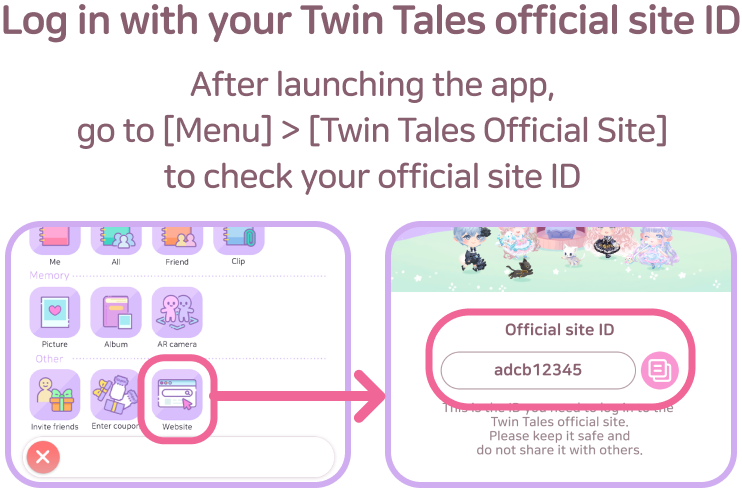
How to Log In to the Web Store
'Even when you are logged into the "Twin Tales" app, a seperate login is required to purchase Happy on the Web Store.
To log into the Web Store, you will need your official Twin Tales website ID.
You can check your official website ID directly within the app:
[Menu] > [Twin Tales Official Website} > [Official Website ID]
What to do if Happy is not credited after a Web Store purchase
Happy purchased from the Web Store will be credited once you enter the Cocorium.
If your Happy is still not credited after returning to the Cocorium, please restart the app and check again.
You can also view your Happy purchase history by going to [Menu] > [Item History] > [Happy].
If the issue persists even after trying the steps above, please contact us through the in-app [Customer Support].
If Purchased Happy is Not Credited to Your Account
Happy purchased from the Web Store will be credited to your account once you enter your Cocorium.
If your Happy is still not showing up after returning to your Cocorium, please restart the app and check again.
You can also check your Happy purchase history by going to:
[Menu] > [Item History] > [Happy]
Still Having Trouble?
If the issue persists even after trying the steps above, please contact us through the in-app [Customer Support].
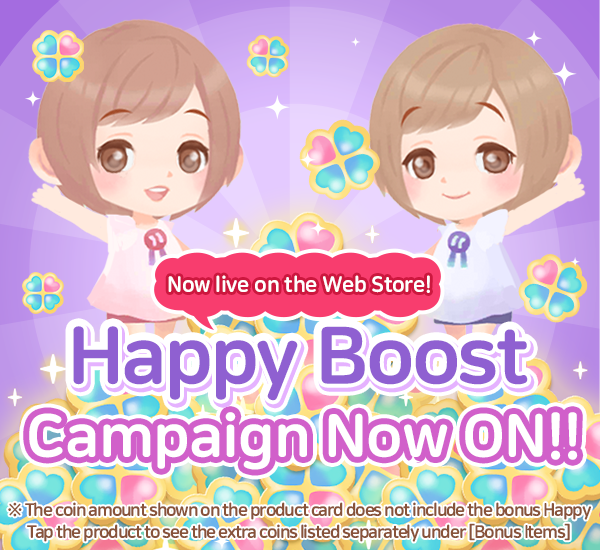
Regarding the Displayed Amount of Happy During Web Store Happy Bonus Events
During Web Store Happy Bonus Events, "Time Remaining" countdown and a "Bonus Badge" will be displayed on the product card.
Please note that the amount of Happy shown on the product card itself does NOT include the bonus Happy. Instead, the bonus Happy amount is listed seperately under the [BONUS ITEMS] section at the bottom of the screen after you click on the product card.
※You can also check the total amount of Happy you will receive from the purchase on the final payment screen.
[View Details (Link)]
Available Payment Methods in the Web Store
You can complete your purchases using a variety of payment methods in the Web Store, and you can review all available options on the final checkout screen.
Please note that the available payment methods will vary and be displayed based on the country you are accessing the store from.
Paid vs. Free Happy Purchased from the Web Store
You can check the breakdown of paid and free Happy on the checkout screen when making a purchase in the Web Store.
Free Happy includes the following items:
– Bonus Happy
– Web Store Bonus Happy
Any additional Happy obtained through bonus events is also counted as free Happy.